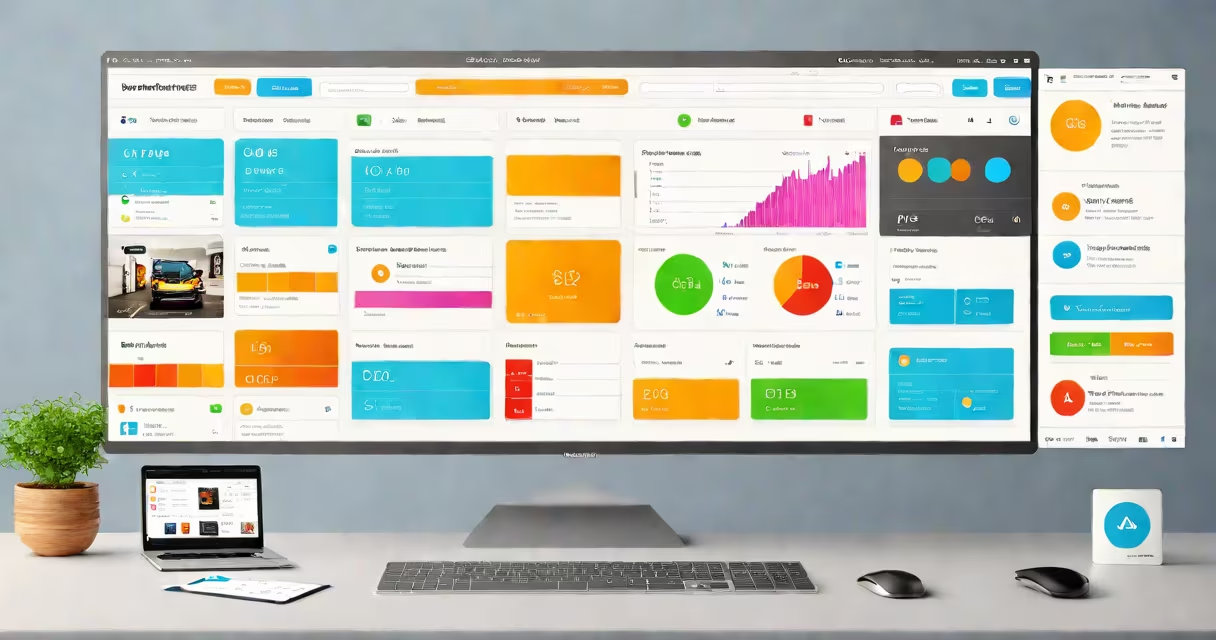
Web application UX design is the process of creating digital interfaces that enable users to complete tasks efficiently, intuitively, and with minimal frustration. It centers on user behavior, cognitive load, and consistent interaction patterns across devices.
UX design for web applications goes beyond aesthetics. It helps workflows-like submitting forms, managing data, or going through dashboards-are predictable and require few mental steps. A well-designed web app reduces user errors, shortens learning time, and increases retention.
According to the Nielsen Norman Group, users form first impressions of a website within 50 milliseconds. For web apps, this initial perception heavily influences whether users stay or leave. Design choices such as button placement, error message clarity, and loading state visibility directly impact perceived reliability and trust.
UX design begins with understanding who uses the app and what they aim to achieve. This involves user research, personas, and task analysis. Once goals are mapped, designers create wireframes-low-fidelity layouts that define structure without visual detail.
These wireframes evolve into prototypes tested with real users. Feedback identifies friction points: unclear labels, hidden actions, or inconsistent navigation. Iterations refine the flow until users complete tasks without hesitation.
Final designs are handed to developers using specifications like component libraries, design tokens, and accessibility standards. The result is a functional, maintainable interface aligned with business and user needs.
Effective web application UX combines several interdependent elements:
| Component | Description | Example |
|---|---|---|
| Information architecture | Organizes content and features logically | Dropdown menus grouping related functions |
| Navigation pattern | Guides users through the app's structure | Side navigation bar in a project management tool |
| Interaction feedback | Confirms user actions instantly | Green checkmark after saving a form |
| Accessibility compliance | Ensures usability for people with disabilities | Keyboard-navigable menus and screen-reader support |
Each component must work together. For example, a poorly labeled button may confuse users even if the layout is clean. Consistency across pages prevents cognitive overload.
There are two primary approaches to structuring web app UX:
Most enterprise web apps blend both. A sales dashboard, for instance, shows performance metrics (content-first) while allowing quick actions like exporting reports or updating deals (task-based).
Many assume UX design is about making something "pretty." That's incorrect. Visual design is part of the experience, but it serves function. A polished interface with confusing flows fails users.
Another misconception is that UX applies only to consumer-facing apps. In reality, internal tools-like HR systems or inventory trackers-benefit just as much. A study by Forrester Research found that companies investing in UX see a 200% return on investment through reduced training costs and fewer support tickets.
A key distinction: UX design is not the same as UI (user interface) design. While UI handles visuals-colors, fonts, spacing-UX focuses on behavior, flow, and outcomes. You can have a beautiful UI with poor UX, but good UX always includes thoughtful UI.
For example, a finance web app I reviewed last year had a sleek dark theme and animated transitions. But users couldn't find their transaction history because it was buried under three menu layers. Fixing the navigation improved task success rates from 58% to 92% in testing.
Web application UX design is essential in environments where efficiency, accuracy, and user confidence matter. Industries including healthcare, finance, logistics, and education rely on it daily.
Consider a hospital's electronic health record (EHR) system. Doctors access patient data during emergencies. If the interface requires five clicks to view lab results, lives can be at risk. UX design ensures critical data appears in seconds, with prioritized alerts and minimal distractions.
Similarly, in fintech, a trading platform must display real-time stock prices, order status, and risk warnings. Misplaced elements or delayed feedback can lead to financial loss. According to a 2023 report by the UX Collective, 68% of users abandon web apps due to poor navigation or slow response times.
Even small improvements yield measurable gains. When Dropbox redesigned its file upload workflow, they reduced average upload time by 37% and increased successful uploads by 22%. These changes were driven by user testing, not assumptions.
Web application UX design differs from traditional web design and mobile app design in focus and constraints.
Traditional websites often prioritize content delivery-blogs, portfolios, marketing pages. Web apps, however, emphasize interaction and state management. A user doesn't just read a blog post; they edit, save, share, and track changes in a web app.
Mobile app UX shares principles but faces different challenges. Touch targets must be large enough for fingers, gestures differ, and network conditions vary. Web apps run in browsers, which means cross-browser compatibility and responsive scaling are non-negotiable.
For instance, a calendar app designed for mobile might use swipe gestures to move between days. The same app on a desktop browser relies on mouse clicks and keyboard shortcuts. UX design adapts to context, not just device size.
A SaaS company offering a team task tracker noticed declining user engagement. Analytics showed 40% of users abandoned the app after signing up. Interviews revealed confusion around assigning tasks and setting deadlines.
The UX team conducted card sorting exercises to understand how users grouped tasks. They then redesigned the task creation flow:
After deployment, the app saw a 55% increase in task creation rate and a 30% drop in support requests. User satisfaction scores rose from 3.2 to 4.6 out of 5.
This case illustrates that web application UX design isn't about adding features-it's about removing friction. The goal is to make the user feel in control, not lost.
Web application UX design is not optional. It determines whether users adopt, engage with, or abandon a product. When done well, it turns complex tools into trusted companions.