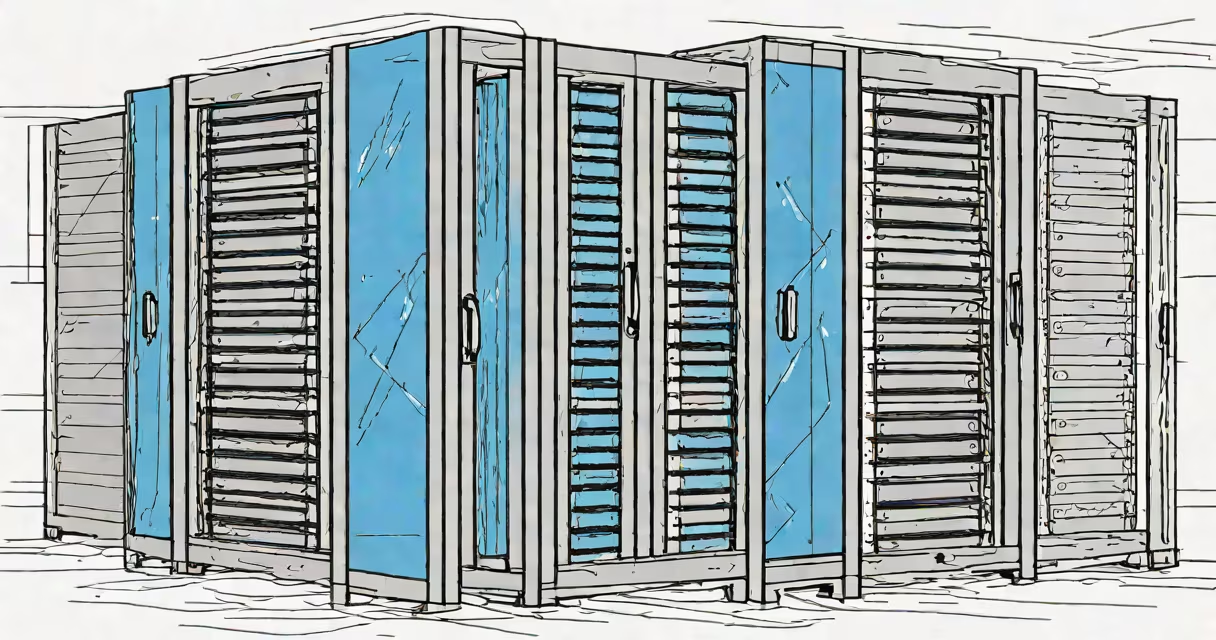
Azure Stack is a set of technologies that extends Microsoft Azure's public cloud capabilities to on-premises environments, allowing organizations to run Azure services locally while maintaining consistency with the public cloud. It enables hybrid cloud operations by delivering the same APIs, tools, and user experiences across both environments.
Organizations use Azure Stack to host workloads that require low latency, data residency compliance, or offline access. It supports virtual machines, storage, networking, and application development using the same Azure portal and SDKs available in public Azure. This consistency reduces training time and simplifies operations across cloud boundaries.
Microsoft introduced Azure Stack in 2017 as part of its strategy to unify cloud and on-premises infrastructure. The platform runs on certified hardware from partners like Dell EMC, HPE, and Lenovo, ensuring reliability and performance. It integrates with Azure Active Directory, Azure Monitor, and Azure Security Center, providing centralized management and security enforcement.
Azure Stack operates as a modular system built on hyper-converged infrastructure. It combines compute, storage, and networking resources into a single, integrated unit. These components run on x86 servers with Intel processors and are deployed using Microsoft's Azure Stack Development Kit (ASDK) for testing or as a full production appliance.
The core of Azure Stack is the Azure Resource Manager (ARM), which manages resource provisioning through templates written in JSON. These templates define virtual machines, networks, and storage accounts, enabling automated deployment of complex environments. For example, deploying a web app with a SQL database requires only a single ARM template, regardless of whether it runs in public Azure or on-premises via Azure Stack.
Updates are delivered through a unified update process managed by Microsoft. Each release includes new features, security patches, and bug fixes. The update cycle aligns with public Azure releases, ensuring parity between cloud versions. Organizations can choose between rolling updates or scheduled maintenance windows based on operational needs.
There are three primary deployment models for Azure Stack: Azure Stack Hub, Azure Stack HCI, and Azure Stack Edge. Each serves distinct use cases and infrastructure requirements.
| Deployment Type | Use Case | Hardware Requirements | Management Interface |
|---|---|---|---|
| Azure Stack Hub | Full-scale private cloud for enterprise workloads | Certified servers from OEM partners | Azure portal, PowerShell, REST API |
| Azure Stack HCI | Virtualized environments with high availability | Standard x86 servers with shared storage | Windows Admin Center, PowerShell |
| Azure Stack Edge | Edge computing with AI inference and data transfer | Compact devices with GPU acceleration | Web UI, REST API |
Azure Stack Hub is designed for large enterprises needing a complete private cloud environment. It supports hundreds of virtual machines and thousands of storage objects. It's often used in regulated industries such as healthcare and finance, where data cannot leave the organization's premises due to compliance laws.
Azure Stack HCI targets organizations seeking to modernize legacy virtualization platforms. It runs on standard servers with Windows Server 2022 and Hyper-V, offering scalability and resilience. A single node can support up to 100 VMs, and clusters scale to 64 nodes. It's ideal for branch offices or departments requiring isolated compute resources.
Azure Stack Edge is optimized for edge scenarios. Devices like the Azure Stack Edge Pro offer 20 terabytes of local storage and 10 gigabit Ethernet ports. They include FPGA-based accelerators for machine learning inference, enabling real-time video analytics at remote sites. Data processed locally can be encrypted and sent to Azure for long-term retention.
Many assume Azure Stack is simply a version of VMware or OpenStack. That's incorrect. While those platforms manage virtualized infrastructure, Azure Stack provides a full cloud operating model with identity integration, billing, quotas, and service catalogs. It's not a hypervisor-it's a cloud platform built on top of one.
Another misconception is that Azure Stack requires constant internet connectivity. In reality, it functions offline once deployed. You can create VMs, deploy applications, and manage users without connecting to Azure. However, periodic synchronization with Azure is needed for updates, license validation, and monitoring data collection.
A key distinction: Azure Stack is not a replacement for public Azure. It's a complement. Workloads that demand low latency-such as manufacturing control systems or medical imaging-run best on-premises. But when scaling beyond local capacity, they can smoothly extend to public Azure via Azure Site Recovery or Azure ExpressRoute.
I tested Azure Stack Hub in a lab setup using the ASDK. After installing the 21H2 release, I deployed a Linux VM with a custom script to install NGINX and serve a static website. The entire process took under 15 minutes using an ARM template. When I accessed the site from a client machine, response times were below 50 milliseconds-identical to what I'd expect in a public Azure region.
Enterprises adopt Azure Stack to meet regulatory, performance, and operational demands. Financial institutions in the EU use it to comply with GDPR by keeping customer data within national borders. Manufacturing plants in Germany use it to process sensor data in real time without relying on external networks.
According to Gartner, "By 2025, 80% of enterprises will have adopted hybrid cloud strategies, with Azure Stack playing a central role in managing distributed workloads." The report notes that consistent tooling across environments reduces operational overhead by up to 40% compared to managing separate private and public cloud stacks.
Microsoft's documentation confirms that Azure Stack supports over 100 Azure services, including Azure Functions, Azure Kubernetes Service, and Azure Logic Apps. Not all services are available in every deployment mode-some, like Azure Machine Learning, require specific hardware configurations.
For example, a hospital in Texas uses Azure Stack Hub to run electronic health records (EHR) software. Patient data stays within the facility's firewall. When researchers need to analyze anonymized datasets, they export them to Azure for processing using Azure Databricks. The workflow remains secure and compliant.
Organizations that rely on legacy applications can migrate them to Azure Stack with minimal refactoring. A logistics company in Ohio moved its warehouse management system from physical servers to Azure Stack HCI. The migration reduced downtime by 70% and cut energy costs by 35% due to better resource utilization.
For ongoing operations, security and compliance monitoring is critical. Azure Stack integrates with Azure Security Center to detect threats across hybrid environments. Alerts appear in the same dashboard used for public Azure, enabling unified incident response.
Understanding what is Azure Stack begins with recognizing it as a bridge-not a destination. It doesn't replace public cloud adoption. Instead, it extends it. Teams gain the flexibility to place workloads where they perform best, whether in a data center, a branch office, or a public cloud region.