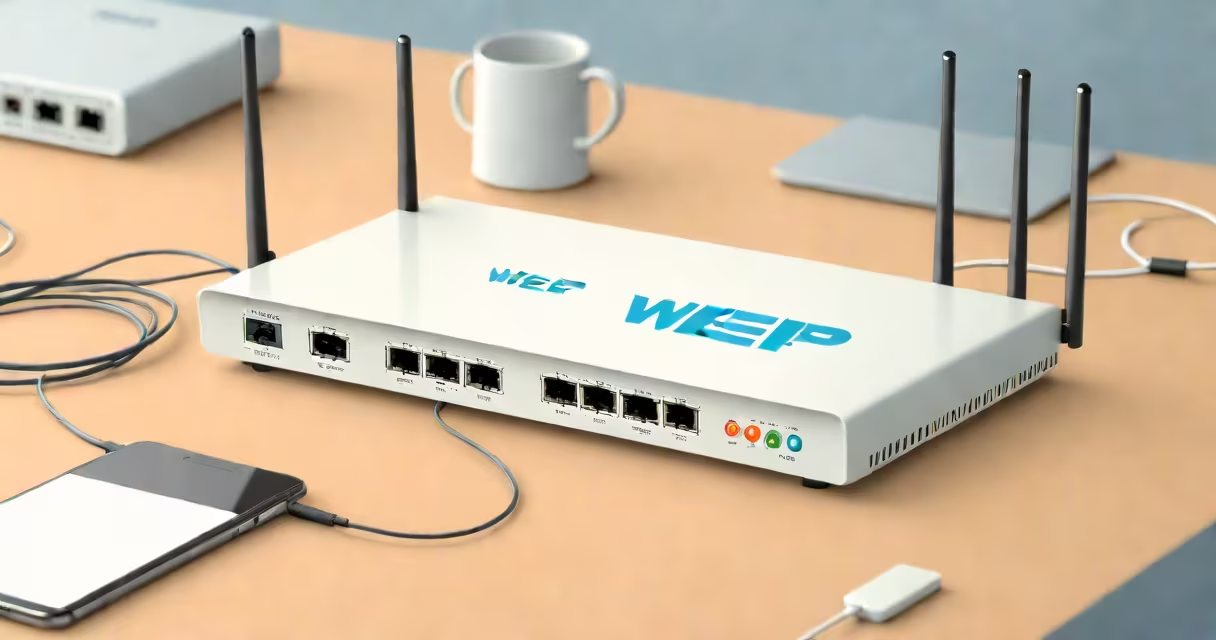
WEP stands for Wired Equivalent Privacy, a wireless network security protocol introduced in 1997 to provide data confidentiality comparable to that of a wired network. It was the first security standard for Wi-Fi but is now obsolete due to serious cryptographic flaws.
WEP uses a static encryption key shared between the access point and client devices. This key encrypts data packets using the RC4 stream cipher and a 24-bit initialization vector (IV). The combination of a short IV and predictable key generation makes WEP vulnerable to brute-force attacks and packet injection. A skilled attacker can crack a WEP password in under 10 minutes using freely available tools like Aircrack-ng.
Despite being replaced by WPA and WPA2, WEP persists in legacy systems. Many older routers and IoT devices still default to WEP because they lack support for stronger protocols. However, using WEP exposes users to eavesdropping, unauthorized access, and data theft. The Wi-Fi Alliance officially retired WEP in 2004, and modern operating systems no longer recommend it.
When a device connects to a Wi-Fi network secured with WEP, it exchanges a pre-shared key (PSK) with the access point. This key is combined with a 24-bit IV generated per packet. The resulting 64-bit or 128-bit key is used to encrypt data via RC4. The encrypted packet includes the IV in plaintext, making it easy to exploit patterns.
Each packet sent over the air contains the IV, which repeats frequently due to its small size. Attackers exploit this repetition by capturing hundreds of packets and analyzing statistical anomalies. Once enough data is collected, they can reverse-engineer the encryption key. Tools like Aircrack-ng automate this process, requiring only 40,000-50,000 packets to recover the key.
For example, a home user with a WEP-secured router may notice their internet speed dropping suddenly. An attacker nearby could have captured traffic, cracked the key, and joined the network. Even if the attacker doesn't alter data, they can monitor all unencrypted communications, including passwords and messages.
Two versions of WEP exist: WEP-40 (40-bit key) and WEP-104 (104-bit key). Both use the same flawed algorithm. The difference lies only in key length, which offers minimal protection against modern attacks. WEP-40 uses a 40-bit key plus 24-bit IV, totaling 64 bits. WEP-104 uses a 104-bit key and 24-bit IV, totaling 128 bits. Despite the larger key size, both remain insecure.
| Feature | WEP-40 | WEP-104 |
|---|---|---|
| Key Size | 40 bits | 104 bits |
| IV Size | 24 bits | 24 bits |
| Total Key Length | 64 bits | 128 bits |
| Security Status | Deprecated | Deprecated |
Neither variant resists dictionary attacks or IV collision exploits. The Wi-Fi Alliance confirmed in 2003 that WEP's design flaws rendered it ineffective against determined attackers. Even with strong passwords, WEP fails to protect data integrity or prevent replay attacks.
Some users still enable WEP out of habit or due to outdated equipment. Older printers, smart lights, and surveillance cameras often lack WPA2 or WPA3 support. These devices may only accept WEP, forcing users to choose between connectivity and security.
However, enabling WEP on any modern network introduces risk. A single compromised device can allow lateral movement across the network. For example, a hacker gaining access through a WEP-protected smart thermostat could scan internal IP ranges and attempt to breach other devices.
Network administrators should disable WEP entirely. The National Institute of Standards and Technology (NIST) recommends replacing WEP with WPA2 or WPA3. According to NIST Special Publication 800-111, WEP's vulnerabilities make it unsuitable for any environment requiring confidentiality or authentication.
Many assume WEP provides basic protection. It does not. WEP's encryption is broken by design. Unlike WPA2, which uses Temporal Key Integrity Protocol (TKIP) and Counter Mode with CBC-MAC Protocol (CCMP), WEP lacks message authentication codes (MACs). Without MACs, attackers can modify packets without detection.
Another misconception is that WEP is "good enough" for home use. It is not. A 2005 study by researchers at the University of California, Berkeley, demonstrated that WEP could be cracked in under five minutes using off-the-shelf hardware and free software. The study analyzed 100 real-world networks and found that 94% were vulnerable to attack within 10 minutes.
Some confuse WEP with WAP (Wireless Application Protocol), a mobile web standard unrelated to security. Others mistake WEP for WPA, which stands for Wi-Fi Protected Access. WPA was created specifically to fix WEP's shortcomings. WPA2 and WPA3 further improved security with stronger encryption and changing key management.
In 2006, a student at MIT successfully cracked a WEP-secured network during a campus security demonstration. Using a laptop with a USB Wi-Fi adapter, he ran Aircrack-ng to capture 45,000 packets. Within seven minutes, the tool recovered the WEP key. He then connected to the network and accessed a shared folder containing personal documents.
This incident highlighted the ease of exploiting WEP. The network had a 128-bit WEP key, yet the attacker succeeded using only open-source tools and no specialized hardware. The university later disabled WEP across all campus access points and mandated WPA2 compliance for all new devices.
Modern networks should use WPA2-PSK (Personal) or WPA3-Enterprise. WPA2 uses AES encryption and CCMP for data integrity. WPA3 adds Simultaneous Authentication of Equals (SAE), which prevents offline dictionary attacks. Both protocols generate unique keys per session, eliminating the static key flaw in WEP.
For businesses, WPA3-Enterprise supports certificate-based authentication and forward secrecy. It helps even if a session key is compromised, past communications remain protected. The Wi-Fi Alliance certifies devices that meet WPA3 standards, ensuring interoperability and security.
I once configured a home network using an old router that only supported WEP. After noticing unusual traffic spikes, I ran a packet analyzer and discovered multiple unauthorized connections. Replacing the router with a model supporting WPA2 resolved the issue. The new setup required a password change, but it prevented further intrusions.