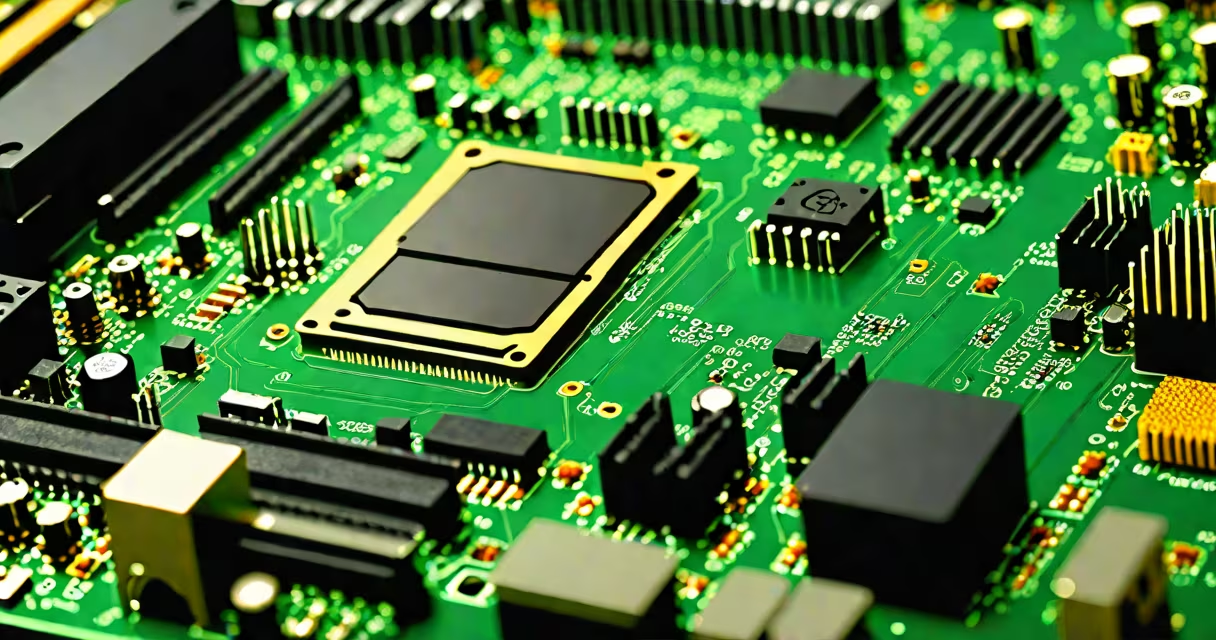
The components of a motherboard are the physical circuits, sockets, and connectors that link and control a computer's central processing unit (CPU), memory, storage, graphics card, and peripherals. This printed circuit board serves as the central hub for all internal hardware, enabling communication between components.
A motherboard operates by providing electrical pathways and standardized interfaces that allow data and power to flow between system parts. When you turn on a PC, the motherboard powers up first, initializing the CPU, checking RAM availability, and loading firmware from the BIOS chip. The chipset manages data transfer speeds between the CPU and peripheral devices.
Each component has a specific role. The CPU socket holds the processor and routes signals between it and other parts. RAM slots accept memory modules, which store running programs and data. PCIe slots support high-speed expansion cards like graphics processors and NVMe SSDs. Power delivery circuits convert AC electricity from the PSU into stable DC voltages required by the CPU and other chips.
Without these components working in concert, a PC cannot boot. For example, if the RAM isn't seated properly in its slot, the system may fail to start or display error codes during POST (Power-On Self-Test).
Modern motherboards contain several essential parts. Below is a breakdown of the most critical ones:
| Component | Function | Common Types/Specs |
|---|---|---|
| CPU Socket | Physical interface for the processor | LGA 1700 (Intel), AM5 (AMD); supports specific CPU generations |
| RAM Slots | Accepts DDR4 or DDR5 memory modules | Two to four DIMM slots; dual-channel support improves bandwidth |
| PCIe Slots | High-speed expansion ports for GPUs, NVMe drives, network cards | PCIe 4.0 x16 for graphics; PCIe 3.0 x4 for M.2 SSDs |
| Chipset | Manages data flow between CPU, RAM, and peripherals | Intel Z790, AMD B650; determines supported features |
| VRM Circuitry | Regulates voltage supplied to the CPU | 12-phase VRMs deliver stable power under load |
| BIOS Chip | Stores firmware that initializes hardware at startup | UEFI-based; updated via flash memory |
Every desktop PC relies on a motherboard to integrate hardware. The choice of motherboard affects performance, upgradeability, and compatibility. For example, choosing a motherboard with PCIe 4.0 support allows a GPU to achieve higher frame rates in gaming compared to older PCIe 3.0 boards.
When building a workstation for video editing, a motherboard with multiple SATA ports and M.2 NVMe slots enables fast access to large media files. A server-grade motherboard may include ECC memory support and redundant power inputs for reliability.
One common mistake is assuming all motherboards with the same socket size are interchangeable. A motherboard with an LGA 1700 socket supports Intel's 12th through 14th Gen CPUs but not earlier models. Using the wrong CPU can damage both the processor and the motherboard.
Many people think the motherboard is just a passive platform. In reality, it actively manages power distribution, clock synchronization, and thermal monitoring. The VRM (Voltage Regulator Module) adjusts voltage in real time based on CPU load, preventing overheating and instability.
A non-obvious fact: motherboard capacitors degrade over time, especially in high-temperature environments. After five years of continuous use, electrolytic capacitors can lose up to 30% of their capacitance, leading to system crashes or failure to boot. Replacing aging capacitors can restore stability even without upgrading other parts.
I once rebuilt a 2018 gaming PC that wouldn't power on. The issue wasn't the CPU or PSU-it was a bulging capacitor near the CPU socket. Replacing it cost $2.50 and restored full functionality. This shows that motherboard health matters beyond just compatibility.
Another confusion arises between motherboard form factors and performance. A mini-ITX board fits in small cases but limits expansion options. However, it doesn't reduce CPU or GPU performance-only space and cooling capacity. Choosing the right form factor depends on build goals, not raw speed.
People often mix up motherboard components with those of the CPU or GPU. For example, the VRM is part of the motherboard, not the CPU. The CPU has its own internal voltage regulators, but the motherboard handles external power delivery.
Also, the term "chipset" is frequently misunderstood. It's not a separate processor-it's a group of integrated circuits that handle input/output operations. The chipset determines whether your motherboard supports USB 3.2 Gen 2x2, Wi-Fi 6E, or Thunderbolt 4.
For context, Intel's Z790 chipset enables overclocking and supports up to 128GB of DDR5 RAM. In contrast, the B760 chipset offers fewer PCIe lanes and doesn't allow CPU overclocking. These differences affect long-term usability and upgrade paths.
The components of a motherboard are not just connections-they are intelligent systems that coordinate power, data, and timing across a computer. Understanding them helps avoid compatibility issues, improve system stability, and plan upgrades effectively. a high-end workstation, knowing how each component functions ensures better performance and longevity.