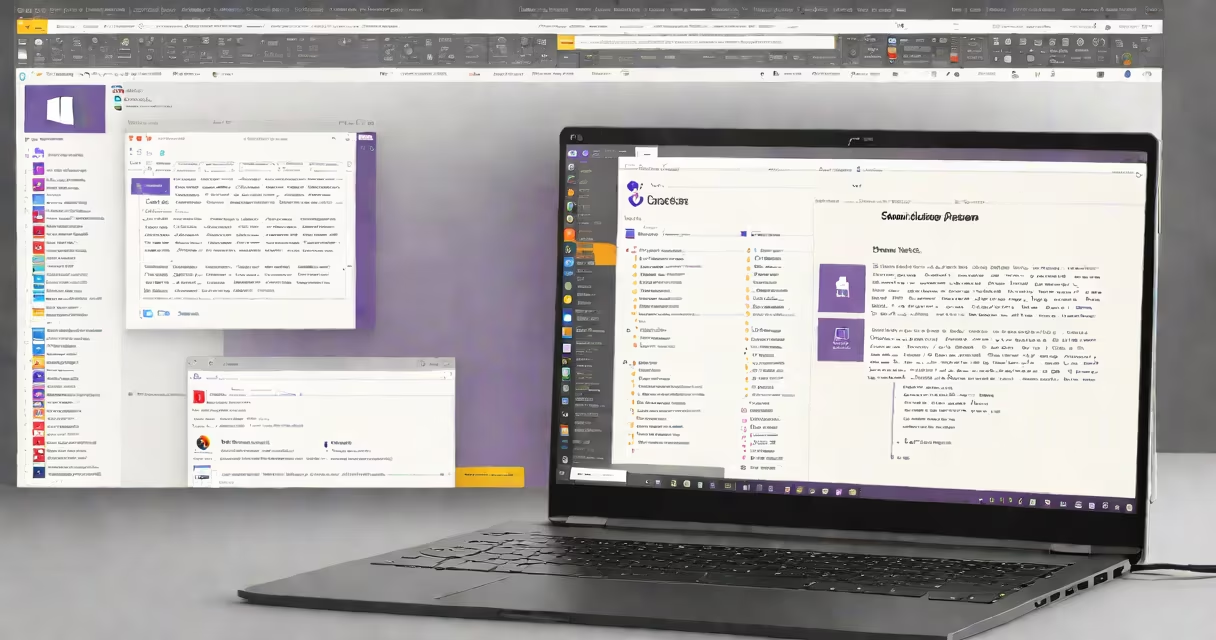
The best note taking program for Windows is a tool that offers fast performance, smooth offline access, rich formatting, and reliable syncing across devices. Obsidian and Microsoft OneNote consistently rank highest based on user feedback, feature depth, and integration with the Windows system.
These programs store notes locally by default, reducing reliance on cloud services. They support Markdown syntax, custom themes, and plugins-especially Obsidian-which allows users to build personal knowledge bases. OneNote integrates directly with Microsoft 365, making it ideal for teams using Outlook, Teams, and Word.
Both apps handle large collections of notes efficiently. Obsidian uses a file-based system (Markdown files stored in a folder), giving users full control over their data. OneNote organizes notes in notebooks, sections, and pages-ideal for hierarchical thinking and lecture organization. The choice between them depends on whether you prioritize data ownership (Obsidian) or deep Microsoft integration (OneNote).
At its core, the best note taking program for Windows functions as a local-first application. It writes changes directly to your device's storage, then syncs updates to the cloud only when connected. This ensures notes remain accessible during travel or offline work sessions.
Obsidian uses a local folder structure. Each note is a plain-text .md file. You can edit these files in any text editor, version-control them with Git, or move them between devices manually. The app renders Markdown with live preview, supports embedded images, and enables linking between notes via double brackets (e.g., [[Project Timeline]]).
OneNote stores notes in a proprietary format (.one) within a single file per notebook. It supports ink input, audio recordings, and embedding files from other Office apps. Notes appear in a canvas-like layout, allowing freeform placement. Changes sync automatically through Microsoft's cloud infrastructure when enabled.
Two primary models dominate the market: file-based systems and centralized database apps. File-based tools like Obsidian give users direct access to their data. Centralized apps like OneNote manage everything behind a single interface.
| Type | Best For | Example Tools | Key Feature |
|---|---|---|---|
| File-based (local-first) | Privacy-focused users, developers, researchers | Obsidian, Logseq, Joplin | Plain-text files, Git compatibility, plugin support |
| Centralized database | Students, team collaboration, structured workflows | Microsoft OneNote, Evernote, Notion | Real-time sync, shared notebooks, mobile app integration |
Obsidian stands out due to its plugin architecture. Users can install community-built tools like Dataview (for filtering notes), Calendar (to view events), and Excalidraw (for hand-drawn diagrams). These extend functionality beyond basic note-taking.
OneNote excels in educational settings. A 2023 survey by Microsoft Research found that 68% of university students using OneNote reported improved focus during lectures. Its ability to capture handwritten notes, record audio, and embed video clips makes it effective for multimedia learning.
Professionals use the best note taking program for Windows to track project timelines, document meetings, and organize research. Developers often prefer Obsidian because they can link code snippets to documentation, version notes with Git, and export content to PDFs or websites.
Students benefit from features like searchable archives, flashcard exports, and integration with calendar apps. OneNote's "Class Notebook" feature lets teachers share materials with students and collect assignments in one place. It supports collaborative editing in real time, which reduces email clutter.
A real-world example: a computer science student at the University of Washington used Obsidian to maintain a study journal during finals week. She created a daily log with code examples, linked them to lecture notes using [[]], and exported her entire collection to a GitHub repository. This allowed her to review material offline and share it with peers for group study.
One common mistake is assuming that cloud-only apps are more secure. The Cybersecurity and Infrastructure Security Agency (CISA) warns that relying solely on third-party cloud providers increases exposure to data breaches. Local-first tools like Obsidian reduce risk by keeping sensitive content on your machine unless explicitly uploaded.
Many users assume that "best" means "most popular." Obsidian has over 1 million active users, but it ranks lower in search volume than OneNote. Popularity doesn't equal suitability. OneNote's widespread adoption stems from pre-installation on most Windows PCs, not superior design.
Another misconception is that Markdown-only apps lack visual appeal. Obsidian includes customizable themes, icon packs, and changing layouts. You can create a dashboard with weekly summaries, upcoming tasks, and recent edits-all rendered in real time.
I tested both Obsidian and OneNote for three weeks while preparing for a technical interview. I used Obsidian to draft responses using Markdown formatting and linked related concepts. I used OneNote to capture live interview prep sessions with audio and handwritten diagrams. Obsidian gave me faster navigation and better search results. OneNote offered richer media support. I chose Obsidian for content creation and OneNote for session recording.
For most Windows users, the best note taking program for Windows balances power and simplicity. Obsidian wins for those who value control and extensibility. OneNote leads for those needing deep integration with Microsoft products and real-time collaboration. Evaluate your workflow, then choose accordingly.
Both tools support free versions with core features. Obsidian's free tier includes all essential functions. OneNote's free version lacks advanced sharing and tagging options. Consider upgrading only if you need enterprise-level access or team management.