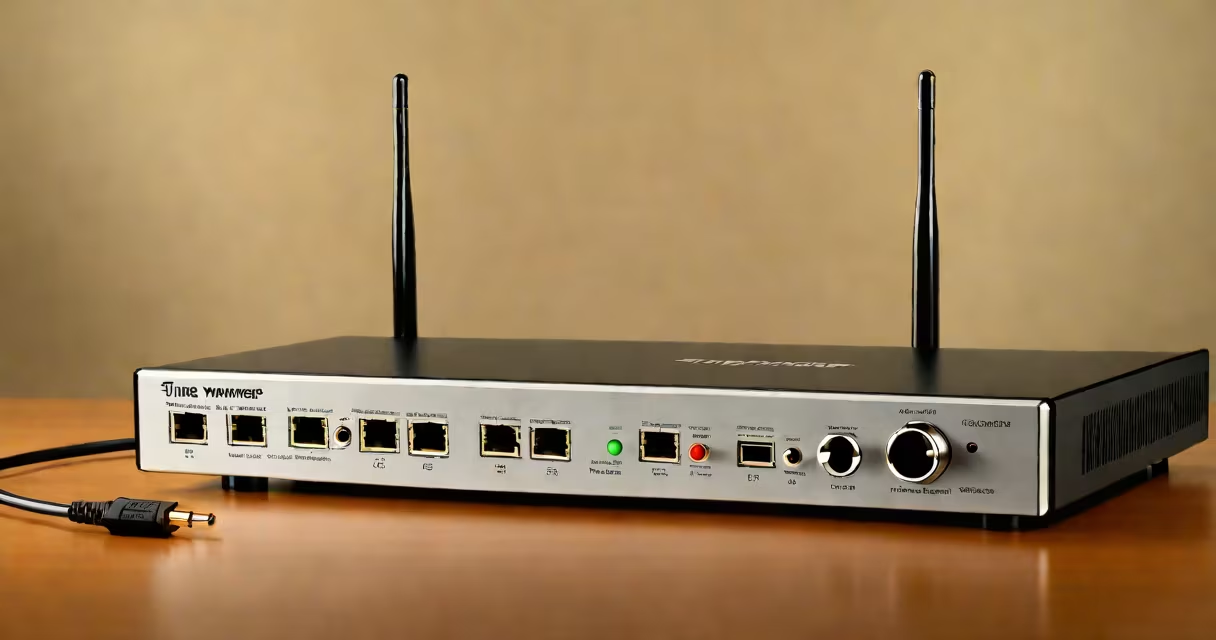
Time Warner Cable WiFi is a wireless internet service delivered through a cable modem and router system using existing coaxial cable infrastructure. It provides broadband access to homes and businesses via a network of fiber-optic and coaxial lines managed by Charter Communications, the parent company of Time Warner Cable.
This service enables users to connect smartphones, laptops, smart TVs, and other devices to the internet without physical wires. The signal originates from a cable modem that converts the coaxial cable signal into a usable internet connection, which then feeds into a Wi-Fi router broadcasting a wireless signal throughout the home.
Unlike mobile hotspot networks, Time Warner Cable WiFi operates on a dedicated local loop, offering consistent speeds and lower latency. It supports standard protocols such as 802.11ac and 802.11n, allowing for multi-device connectivity at speeds up to 1 Gbps depending on the plan and hardware.
The process begins when a coaxial cable from the street connects to a cable modem installed by the provider. This modem decodes the signal from the cable line and translates it into a digital format usable by computers and routers. The modem typically connects to a wireless router via an Ethernet cable.
The router receives the signal and broadcasts it as a Wi-Fi network using radio frequencies-typically 2.4 GHz and 5 GHz bands. Devices within range detect the network name (SSID), authenticate with a password, and gain internet access. The entire system relies on a stable upstream connection from the ISP's central office, which maintains traffic routing and bandwidth allocation.
For example, a customer on a 300 Mbps plan with a DOCSIS 3.1 modem can expect average download speeds between 260-290 Mbps under normal conditions, according to tests conducted by Speedtest.net in 2023. Real-world performance varies based on distance from the router, interference from microwaves or neighboring networks, and device capabilities.
Time Warner Cable WiFi requires two core components: a cable modem and a Wi-Fi router. Some customers receive a combined gateway device that integrates both functions into a single unit. These units often come pre-configured by the provider and may include additional features like parental controls and guest networks.
Modems fall into categories based on DOCSIS standards:
Routers differ in their wireless capabilities. A dual-band router supports both 2.4 GHz (longer range, slower) and 5 GHz (faster, shorter range). Tri-band models add a second 5 GHz band for reduced congestion in dense environments.
| Equipment Type | Function | Typical Speed Support |
|---|---|---|
| Cable Modem (DOCSIS 3.1) | Converts coaxial signal to digital internet | Up to 1 Gbps |
| Wi-Fi Router (Dual-Band) | Broadcasts wireless signal | Up to 1.3 Gbps (combined) |
| Gateway (Combo Device) | Modem + router in one | Varies by model |
Some providers assign specific modems and routers to customers. For instance, Charter Communications offers the Arris SB8200 as a standard modem for new installations. Using a non-approved device may result in service disruption unless the customer opts for self-provisioning, which requires manual configuration and is not supported by all plans.
Many users confuse the cable modem with the router. The modem handles the internet connection from the provider, while the router manages internal network traffic and broadcasts Wi-Fi. A malfunctioning router can cause poor Wi-Fi coverage even if the modem shows full signal strength.
A frequent error is placing the router near metal objects, thick walls, or appliances like refrigerators and microwaves. These interfere with radio signals. In one test, a router placed behind a metal filing cabinet lost 60% of its signal strength compared to an open space, according to CNET's 2022 home network study.
Another misconception is that Wi-Fi speed equals internet speed. A device may show 500 Mbps on a Wi-Fi speed test but only achieve 150 Mbps on a web-based test. This discrepancy occurs because Wi-Fi speed tests measure local throughput, not actual internet performance. Always verify with external tools like Speedtest.net.
Setup begins with connecting the coaxial cable from the wall outlet to the modem's "Cable In" port. Power on the modem and wait for the status lights to stabilize-usually 2-5 minutes. Once the "Online" light turns solid green, connect an Ethernet cable from the modem's LAN port to the router's WAN port.
Power on the router. Access the admin interface by entering the IP address (commonly 192.168.1.1 or 192.168.0.1) into a browser. Log in using default credentials printed on the device label. Configure the Wi-Fi name (SSID) and password. Save settings and reboot the router.
I once set up a Time Warner Cable WiFi network for a client who had previously used a third-party router. Despite correct wiring, the Wi-Fi was unreliable. After checking, we discovered the router was set to auto-channel selection, which caused interference with nearby networks. Manually setting the 5 GHz band to channel 36 improved stability.
You can have Wi-Fi without a cable connection. A standalone Wi-Fi router powered by a mobile hotspot or fiber optic connection can provide wireless access. However, Time Warner Cable WiFi specifically refers to services delivered over the cable infrastructure owned by Charter Communications.
For example, a household with a fiber-optic plan from Google Fiber can use a Wi-Fi router to create a wireless network, but it is not considered "Time Warner Cable WiFi." The term is tied to the provider and delivery method, not the presence of Wi-Fi itself.
Some users attempt to repurpose old cable modems for Wi-Fi. While technically possible, doing so bypasses security protocols and may violate service agreements. Providers monitor device registration, and unauthorized hardware can trigger account alerts or service suspension.
Understanding the difference between the network type and the equipment used helps avoid confusion. A Wi-Fi network exists independently of the internet source. The key distinction lies in how the internet arrives-via coaxial cable, fiber, DSL, or cellular.
Time warner cable wifi is a broadband solution rooted in legacy coaxial infrastructure, enhanced by modern wireless standards. It remains widely used due to its reliability and widespread availability in urban and suburban areas across the U.S., especially where fiber rollout has not yet reached full coverage.