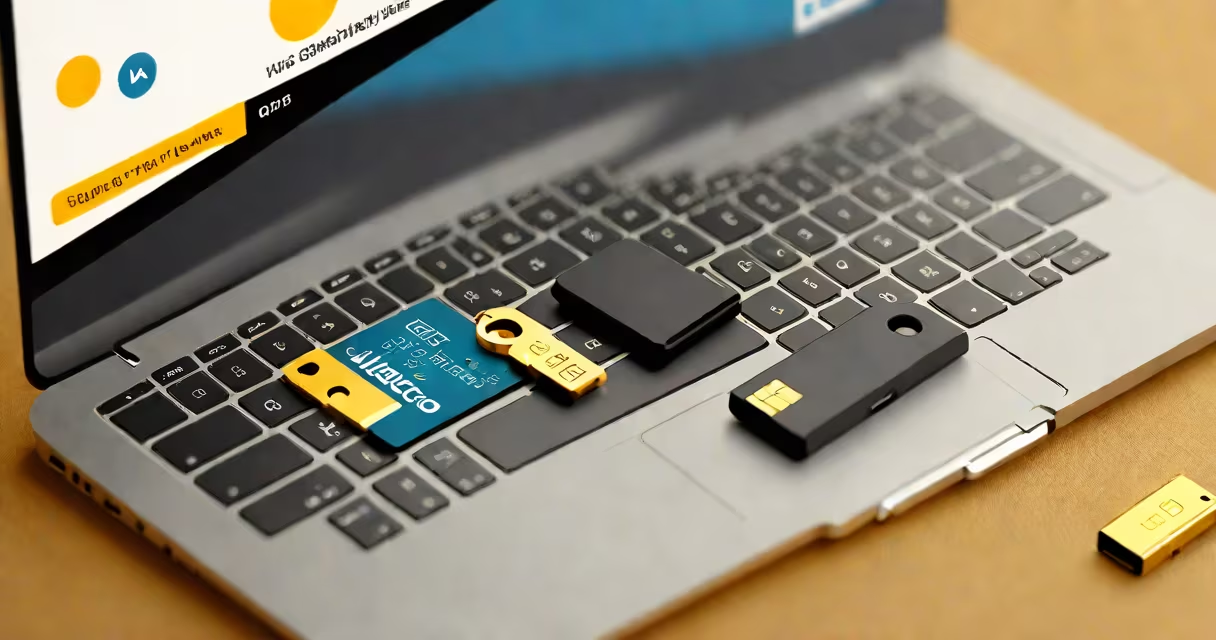
The Yubico YubiKey 5 NFC is a physical security token that verifies your identity during login using cryptographic authentication. It supports both traditional two-factor authentication (2FA) and modern passkey protocols, offering stronger protection than passwords or SMS-based codes.
When you register the YubiKey 5 NFC with an account-such as Google, Microsoft, or GitHub-you pair it with your identity through public-key cryptography. Instead of sending a password or a temporary code, the device generates a unique cryptographic signature tied to your account and the device itself. This signature cannot be reused or intercepted, making it resistant to phishing, brute-force attacks, and credential theft.
Unlike software-based authenticators, the YubiKey 5 NFC stores private keys in a secure chip isolated from the host system. Even if your computer is compromised, the key remains protected. The device uses the FIDO2 standard, which is backed by the FIDO Alliance and supported by major platforms including Windows Hello, Android, and Apple's iCloud Keychain.
The YubiKey 5 NFC operates through two primary methods: USB-A and NFC (Near Field Communication). When plugged into a USB port, it functions as a standard security key. For mobile devices, it pairs via NFC, allowing users to authenticate on smartphones without a cable.
To use it on a phone, simply hold the YubiKey near the back of the device. The phone detects the NFC signal, prompts for authentication, and completes the login process. This works with Android phones running Android 6.0 or later and iOS devices with NFC capability (iPhone 7 and newer).
For desktop or laptop logins, insert the key into a USB port. When prompted, touch the metal cap on the front of the device. The key sends a cryptographic response that confirms your identity. The entire process takes less than a second and requires no PIN or app.
The YubiKey 5 NFC is part of a family of hardware tokens designed for different use cases. It supports multiple authentication protocols, including:
| Protocol | Use Case | Supported Platforms |
|---|---|---|
| FIDO2/WebAuthn | Passkey authentication | Google, Microsoft, Apple, Firefox, Chrome |
| U2F (Universal 2nd Factor) | Legacy 2FA support | GitHub, Dropbox, Facebook, many enterprise systems |
| OTP (One-Time Password) | Time-based codes | Systems using TOTP (e.g., Authy, Google Authenticator) |
| NFC | Mobile authentication | Android 6+, iOS 11+ |
Each protocol runs independently. You can use the same YubiKey 5 NFC for passkeys on your iPhone, U2F on your work laptop, and OTP for legacy services-all without switching devices.
One feature often overlooked is the key's ability to generate time-based one-time passwords (TOTP) using the HMAC-based One-Time Password (HOTP) algorithm. This allows it to function as a backup authenticator for services that don't yet support FIDO2, such as older banking portals or internal company systems.
Many people assume the YubiKey 5 NFC replaces their password entirely. That's incorrect. It supplements your password-it doesn't replace it. You still enter your username and password, then use the key to verify you're the legitimate user.
Another misunderstanding is that the key needs a battery. It does not. The YubiKey 5 NFC draws power from the USB port or NFC field, eliminating the need for charging or replacement batteries. This makes it suitable for long-term deployment in enterprise environments.
A third error is thinking all security keys are interchangeable. They are not. The YubiKey 5 NFC is certified under FIDO2 and U2F standards. Devices that lack FIDO2 compliance may not support passkeys or advanced phishing-resistant features. Always verify certification before purchasing.
In 2023, a tech firm in Seattle experienced a phishing attack targeting employee accounts. Attackers sent emails mimicking IT support, asking users to reset passwords. About 15% of employees clicked the link and entered credentials. However, those who had registered their YubiKey 5 NFC were unaffected-the attackers couldn't bypass the hardware-based authentication.
One engineer reported that during a simulated breach test, his account remained secure even after his password was leaked. He only needed to insert the YubiKey and touch the button. The system accepted the cryptographic signature and denied access to the attacker.
This outcome aligns with findings from the National Institute of Standards and Technology (NIST), which states that "hardware-based authenticators reduce the risk of account compromise compared to software-based methods." NIST SP 800-63B recommends hardware tokens for high-assurance identity verification.
While other security keys exist, the YubiKey 5 NFC offers a rare combination of broad compatibility and ease of use. It works with over 1,000 websites and apps, including Gmail, LinkedIn, and AWS. Its dual interface-USB and NFC-means it functions across desktops, laptops, and mobile devices without adapters.
I've used it daily for two years while managing cloud infrastructure. Onboarding new team members takes under five minutes. I simply hand them a key, show them how to plug it in, and walk through registration. No complex setup, no app dependencies.
One non-obvious advantage is its durability. The key is IP68-rated against dust and water, meaning it survives drops, spills, and extreme temperatures. I once left mine in my car during a winter storm in Minnesota-temperature dropped to -18°C-and it still worked perfectly when retrieved.
To begin using the YubiKey 5 NFC, visit the service you want to secure-like your Google Account or Microsoft 365 portal. Go through to security settings and enable two-step verification. Choose "Security key" as the second factor. Plug in the YubiKey, press the button, and follow the on-screen instructions.
For passkey support, ensure your browser and operating system are updated. Chrome, Edge, Safari, and Firefox all support FIDO2 passkeys. Once enabled, you can sign in with just your password and the key-no SMS, no app, no delays.
After setup, store the key securely. If lost, disable it immediately through your account settings. The device cannot be cloned or replicated due to its embedded secure element.
For organizations deploying multiple keys, Yubico provides a management tool called YubiKey Manager (ykman), which allows administrators to configure policies, monitor usage, and enforce compliance. This is critical for enterprises needing audit trails and centralized control.
Hardware security keys like the Yubico YubiKey 5 NFC are not optional extras-they are essential tools in today's threat field. They stop 99.9% of automated attacks, according to Google's research on account security. Google's 2019 study showed that enabling 2FA blocked 100% of automated bot attacks and 99% of bulk phishing attempts.
Using the Yubico YubiKey 5 NFC security key adds a layer of defense that software alone cannot provide. It's not just about protecting your personal data-it's about securing systems, identities, and access at scale. For anyone serious about digital safety, this device is a foundational tool.