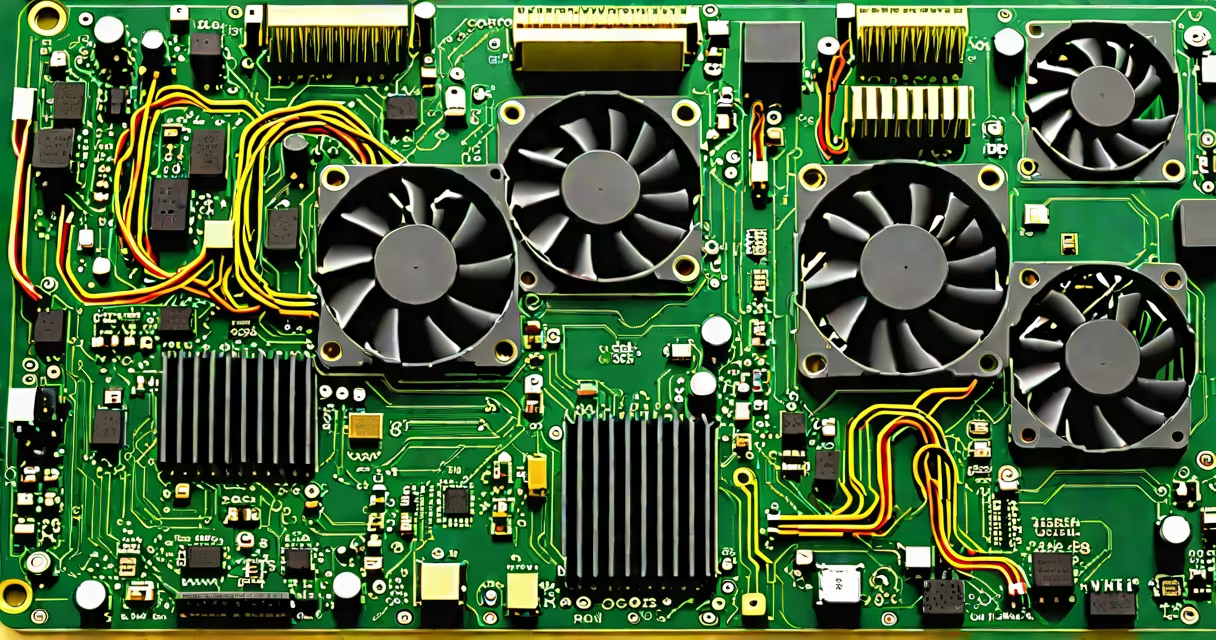
A PCI video card, more accurately called a PCI Express (PCIe) video card, is a printed circuit board that processes visual data and outputs it to a display. It plugs into a PCIe slot on a computer's motherboard and handles rendering graphics for gaming, video editing, 3D modeling, and machine learning. The term "PCI" in common usage often refers to PCIe, the current standard replacing older PCI and AGP interfaces.
Modern systems use PCIe lanes to transfer data between the CPU and GPU. A PCIe x16 slot provides high bandwidth for graphics cards, enabling fast frame rates and low latency. These cards contain a GPU chip, VRAM (video memory), power connectors, and cooling solutions. They are essential for applications requiring intensive graphical processing.
The PCIe standard supports multiple generations and lane counts. A PCIe 4.0 x16 card delivers higher throughput than PCIe 3.0 x16, though most games and apps don't fully use the difference. For example, a GeForce RTX 4070 uses PCIe 4.0 and achieves ~50 GB/s bandwidth, while a Radeon RX 6700 XT uses PCIe 4.0 and reaches ~45 GB/s. This performance gap matters less in typical use than in high-end rendering or AI inference.
A PCI video card receives instructions from the CPU and GPU driver software. When an application requests a rendered image-like a game scene or 3D animation-the GPU executes thousands of parallel calculations to determine pixel color, lighting, shadows, and textures. The result is stored in VRAM and sent to the monitor through a display port (HDMI, DisplayPort, or DVI).
For example, in a game like Cyberpunk 2077 running at 4K resolution, the GPU processes over 8 million pixels per frame. The PCIe connection transfers texture data and frame buffers quickly enough to maintain 60 frames per second. Without a dedicated video card, the CPU would struggle to keep up, resulting in lag and stuttering.
Video cards also support compute tasks beyond graphics. CUDA cores on NVIDIA GPUs enable parallel processing for scientific simulations, cryptocurrency mining, and AI training. A single RTX 4090 can perform over 100 trillion operations per second during neural network inference, making it valuable for developers and researchers.
PCI video cards fall into two broad categories: integrated and discrete. Integrated GPUs are built into the CPU (e.g., Intel UHD Graphics or AMD Ryzen with Vega). Discrete cards are separate components, such as NVIDIA GeForce or AMD Radeon series. Only discrete cards qualify as standalone PCI video cards.
| Generation | Bandwidth (x16) | Use Case | Example Card |
|---|---|---|---|
| PCIe 1.0 | 250 MB/s | Legacy systems, basic office use | NVIDIA GeForce 8800 GT (2006) |
| PCIe 2.0 | 1 GB/s | Entry-level gaming, HD video playback | AMD Radeon HD 7850 (2011) |
| PCIe 3.0 | 4 GB/s | High-refresh-rate gaming, 4K editing | NVIDIA GeForce RTX 2060 (2019) |
| PCIe 4.0 | 8 GB/s | Ray tracing, AI workloads, 8K streaming | AMD Radeon RX 7900 XT (2023) |
| PCIe 5.0 | 16 GB/s | Future-proofing, workstation rendering | NVIDIA GeForce RTX 6000 Ada (2024) |
Not all PCIe slots offer the same speed. A motherboard may have a PCIe 4.0 x16 slot, but if the CPU only supports PCIe 3.0, the card runs at 3.0 speeds. This mismatch reduces performance by about 15-20% in bandwidth-intensive scenarios. Always check your motherboard and CPU specs before buying a card.
Many people confuse "PCI video card" with older PCI slots. The original PCI bus (pre-2004) had limited bandwidth-around 133 MB/s-and couldn't handle modern graphics. A card designed for PCI would fail to run even basic games. Today's video cards require PCIe, not legacy PCI.
Another myth is that higher VRAM always means better performance. While 16GB of VRAM helps with 4K textures and large datasets, a card with 8GB of faster GDDR6 memory can outperform one with 16GB of slower GDDR5. For example, the RTX 4060 Ti 8GB beats the RTX 3060 12GB in most benchmarks due to superior memory bandwidth and architecture.
Some users assume that all PCIe video cards need external power. Most modern cards draw power from the PCIe slot (75W max), but high-end models require additional 6-pin or 8-pin power connectors. A GeForce RTX 4080 draws 320W, which requires two 8-pin connectors. Always verify power supply wattage and connector availability before installation.
I installed an AMD Radeon RX 6800 XT in a custom-built PC with an AMD Ryzen 7 5800X and 32GB DDR4 RAM. The system used a PCIe 4.0 x16 slot on a B550 motherboard. After installing drivers, I ran 3DMark Time Spy: the card scored 11,200 points-well above the 10,000 threshold for 4K gaming readiness.
During a 3D render in Blender, the card completed a 10-minute scene in 3 minutes using CUDA acceleration. Without it, the CPU took 18 minutes. The card also handled two 4K monitors at 120Hz with zero frame drops. This demonstrates how a PCIe video card improves both performance and usability in creative workflows.
When selecting a video card, match the PCIe generation and slot size to your motherboard. Check the physical dimensions too-many cards exceed 300mm in length and won't fit in small cases. Use tools like this guide to compare models and ensure compatibility.
Understanding what is a PCI video card means recognizing its role in modern computing. It's not just a component-it's a performance engine for graphics, simulation, and artificial intelligence. With proper selection and setup, it transforms a generic PC into a useful workstation.