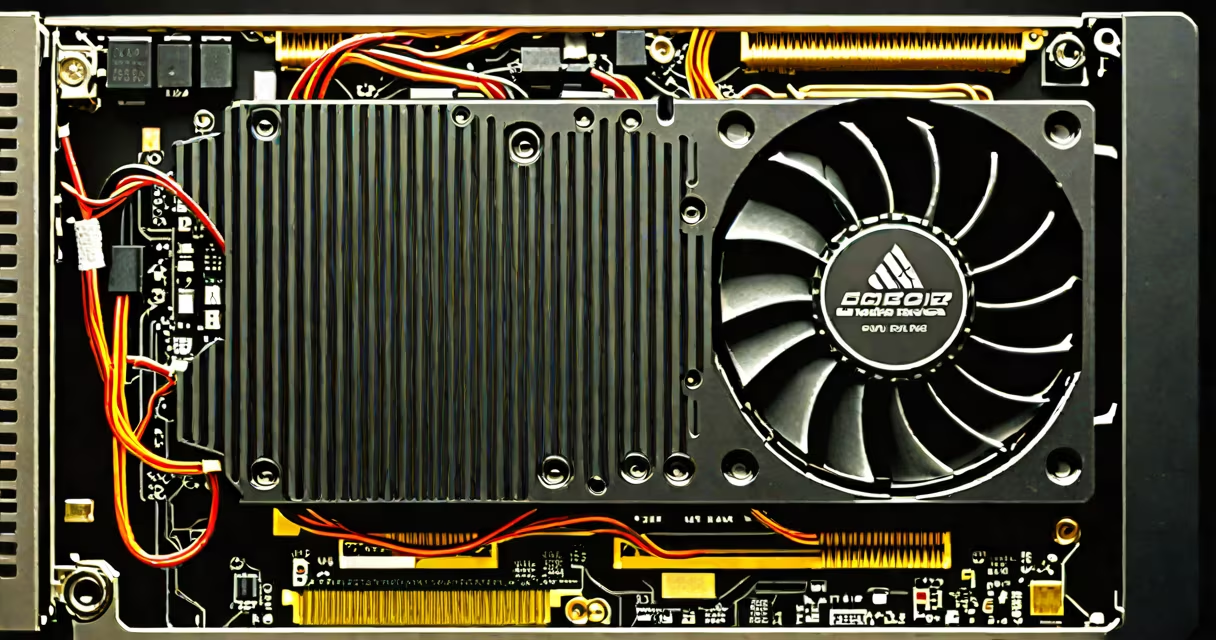
A computer video card, also known as a graphics card or GPU (graphics processing unit), is a hardware component that generates output images to a display device. It handles rendering of 2D and 3D visuals, video playback, and graphical computations. Without it, a computer cannot display anything on a monitor.
The video card sits inside the computer's motherboard via a dedicated expansion slot-most commonly PCI Express (PCIe)-and connects directly to the display through HDMI, DisplayPort, or DVI ports. It contains its own processor (GPU), memory (VRAM), and cooling system. The GPU performs complex mathematical operations to calculate pixel positions, lighting, textures, and motion, enabling real-time visuals in games, video editing, and 3D modeling.
Modern GPUs are designed for high-performance tasks. For example, NVIDIA's RTX 4090 delivers 16,384 CUDA cores and 24 GB of GDDR6X memory, capable of rendering 4K gaming at 120 frames per second. AMD's Radeon RX 7900 XTX offers similar performance with 12,288 stream processors and 24 GB of GDDR6. These components are essential for demanding applications like machine learning, ray tracing, and virtual reality.
When you run a game or open a video, the central processing unit (CPU) sends instructions to the video card. The GPU then processes these commands using thousands of small cores optimized for parallel computation. This allows it to handle multiple calculations simultaneously-such as shading millions of pixels per frame-far faster than a CPU could.
For example, in a first-person shooter game, the GPU calculates how light reflects off walls, how shadows move, and how characters animate. It stores texture data in VRAM (video random access memory), which operates at much higher speeds than regular system RAM. A 1080p game may require 6-8 GB of VRAM to maintain high frame rates without stuttering.
Once processed, the GPU sends the final image to the monitor through a digital connection. Modern cards support features like variable refresh rate (VRR), HDR, and adaptive sync, reducing screen tearing and improving visual clarity. A 144Hz monitor paired with a useful GPU ensures smooth gameplay, especially in competitive titles like *Counter-Strike* or *Fortnite*.
Video cards vary by interface, performance tier, and intended use. The most common types are integrated, dedicated, and external GPUs.
| Type | Interface | Use Case | Example |
|---|---|---|---|
| Integrated | Onboard chip (no separate card) | Basic tasks: web browsing, office work, video streaming | Intel UHD Graphics 770 |
| Dedicated | PCIe x16 slot | Gaming, video editing, 3D rendering, AI workloads | NVIDIA GeForce RTX 4080 |
| External (eGPU) | Thunderbolt 4 or USB-C | Laptop users needing desktop-level graphics | Apple MacBook Pro with external Radeon RX 6800 XT |
Integrated graphics are built into the CPU and share system memory. They consume less power and generate less heat, making them ideal for thin laptops and budget desktops. However, they struggle with intensive workloads. A laptop with Intel Iris Xe graphics may render 1080p video at 30 fps but fail to run *Cyberpunk 2077* at medium settings.
Dedicated GPUs have their own memory and cooling systems. They're essential for high-refresh-rate gaming, 4K video editing in Adobe Premiere Pro, and running large neural networks. For instance, a video editor working with 8K footage uses a GPU with at least 16 GB of VRAM to avoid lag during color grading.
External GPUs connect via Thunderbolt and allow laptops to run demanding software. They're popular among creative professionals who travel but need workstation-level performance. Apple's M-series MacBooks, for example, can achieve near-desktop GPU performance when connected to an eGPU with an AMD Radeon Pro W7900.
Many people mistake the video card for the monitor or confuse it with the motherboard. The video card is not the screen-it's the engine behind the display. The monitor receives the signal but doesn't process it. Similarly, the video card is not part of the motherboard unless it's integrated.
Another misconception is that all video cards are the same. Older standards like VGA (Video Graphics Range) were analog and limited to 640×480 resolution at 60 Hz. Modern cards use digital outputs such as HDMI 2.1, which supports 8K at 60 Hz and changing HDR. Using a VGA cable with a 4K monitor results in blurry, low-quality output-even if the GPU supports 4K.
A key distinction: VGA was introduced in 1987 and remains in some legacy systems. But it's obsolete for modern computing. According to Intel's documentation on display interfaces, VGA lacks support for HDCP (digital copy protection) and cannot transmit audio. A single HDMI cable carries both video and audio signals, making it far more efficient.
I once replaced a VGA-only graphics card in a 2005-era desktop to upgrade to 1080p output. The old card had no HDMI port. After installing a new PCIe card with HDMI and DisplayPort, I achieved 1080p at 120 Hz-something impossible with the original setup.
When evaluating a video card, focus on these specs:
For example, a mid-range card like the NVIDIA GTX 1660 Super has 6 GB of GDDR6 memory, 1,408 CUDA cores, and runs at 1,530 MHz base clock. It costs around $250 and handles 1080p gaming at 60+ FPS in most titles. Compare that to the RTX 4090, which costs $1,600 and delivers 10x the performance in ray-traced scenes.
The video card is not just a display driver-it's a core computing engine. Its role extends beyond screens: it powers AI inference, cryptocurrency mining, and scientific simulations. A single GPU can perform trillions of floating-point operations per second, making it important for modern computing.
Understanding what is a computer video card begins with recognizing it as a specialized processor. It transforms data into visual form, enables immersive experiences, and drives innovation across industries. training a neural network, the video card is the engine behind the image.