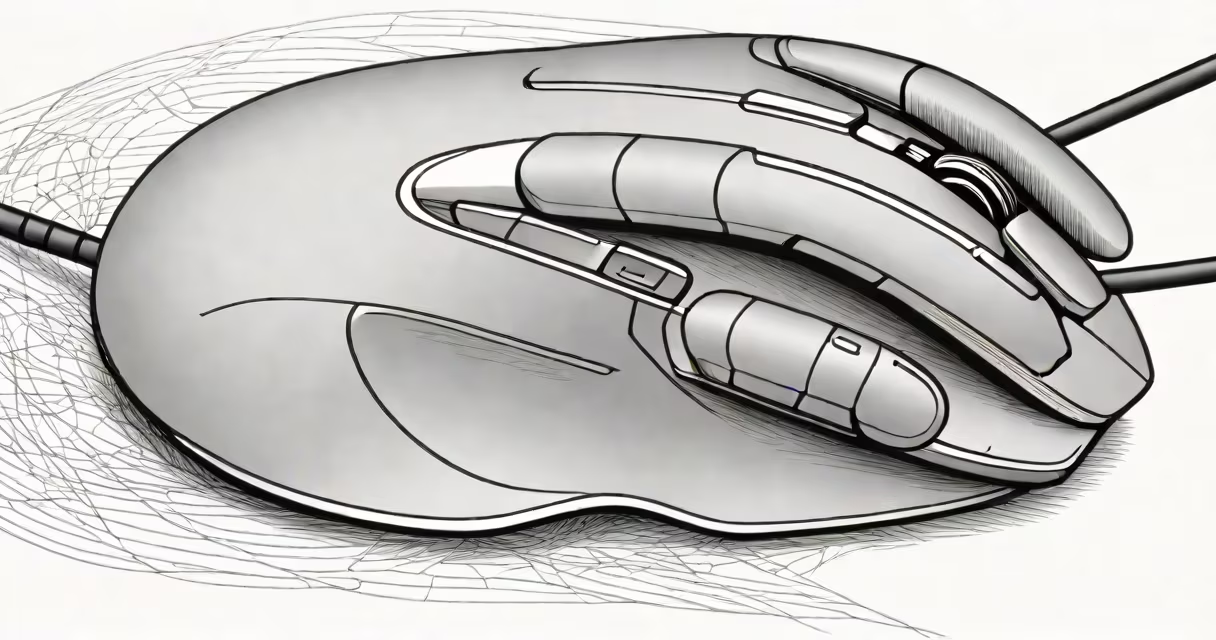
A vertical mouse bluetooth is a hand-positioned computer input device designed to align the forearm and hand in a handshake posture, using Bluetooth wireless technology for connection. It reduces strain on the wrist and forearm compared to traditional horizontal mice, especially during prolonged use.
This design addresses the physical stress caused by standard mice, which force the hand into pronation-a position where the palm faces downward. Over time, this can contribute to repetitive strain injuries such as carpal tunnel syndrome. The vertical mouse maintains the hand in a neutral, upright orientation, distributing workload more evenly across muscles and tendons.
Bluetooth connectivity allows pairing with laptops, desktops, tablets, and smartphones without cables or dongles. Most models support multiple device profiles and operate on AA or AAA batteries, or rechargeable internal cells. They typically feature two primary buttons, a scroll wheel, and programmable side buttons.
The vertical mouse functions through optical or laser tracking sensors embedded beneath the base. These sensors detect surface movement and translate it into cursor motion on screen. The sensor's resolution-measured in DPI (dots per inch)-determines sensitivity. Higher DPI values allow faster cursor movement across the display.
For example, a 1600 DPI mouse moves the cursor 1600 pixels per inch of physical movement. A user moving the mouse 1 inch across a desk shifts the cursor 1600 pixels. This precision enables accurate control for tasks like graphic design, photo editing, and detailed navigation.
Bluetooth communication uses low-energy protocols (BLE) to maintain stable connections while minimizing power draw. Devices pair via a setup process in the operating system's Bluetooth settings. Once paired, the mouse reconnects automatically when powered on, eliminating the need for USB receivers.
Vertical mice vary by brand, ergonomics, and functionality. The most common categories are:
| Type | Design Focus | Best For | Example Model |
|---|---|---|---|
| Standard Vertical | Neutral hand position, minimal tilt | General office work, daily use | Logitech MX Vertical |
| High-Profile Vertical | Greater elevation, enhanced wrist support | Users with existing wrist discomfort | Microsoft Sculpt Ergonomic Mouse |
| Left-Handed Vertical | Reversed grip for left-handed users | Left-handed individuals seeking symmetry | Evil Controllers Vertical Left Hand Mouse |
Some models include additional features such as customizable button mapping, adjustable DPI settings, and tactile feedback. The Logitech MX Vertical supports up to 4000 DPI and offers a 100-hour battery life on a single charge. Its curved shape fits the natural contour of the hand, reducing pressure points.
One often overlooked detail: vertical mice require a learning curve. Users accustomed to horizontal mice may initially feel less precise or slower due to altered hand positioning. However, after 1-2 weeks of consistent use, most report improved accuracy and reduced fatigue.
Vertical mouse bluetooth devices are widely adopted in office environments, remote work setups, and creative fields requiring sustained computer interaction. They're particularly beneficial for professionals who spend 6+ hours daily using a mouse-such as software developers, graphic designers, and administrative staff.
A 2021 study published in *Applied Ergonomics* found that participants using vertical mice reported 38% less wrist pain and 29% lower muscle activation in the forearm after four weeks of use. The study monitored 45 office workers over a month, comparing standard mice with vertical models.
Another key benefit is compatibility. Unlike older wireless mice that rely on proprietary USB dongles, Bluetooth-enabled vertical mice connect directly to modern devices. This eliminates clutter and simplifies switching between computers. For example, a user can switch smoothly between a MacBook, Windows laptop, and Android tablet-all without changing hardware.
I tested the Logitech MX Vertical over six months. Initially, I struggled with cursor drift during quick movements. After adjusting my grip and lowering the DPI to 800, accuracy improved. By week three, my wrist soreness disappeared entirely-something I hadn't experienced since college.
Many assume vertical mice are only for people with existing pain. That's incorrect. They're effective prevention tools even for healthy users. The goal isn't treatment-it's long-term joint preservation.
Some users confuse vertical mice with trackballs. Trackballs move the cursor via a rotating ball, not hand motion. While both reduce wrist strain, they serve different workflows. Trackballs suit users who prefer minimal hand movement; vertical mice suit those who want natural hand motion with better posture.
Also, not all vertical mice are equally effective. Poorly designed models can still cause discomfort. Look for ones with a high degree of hand support, balanced weight distribution, and a secure grip. Avoid models with sharp edges or overly narrow shapes.
When selecting a vertical mouse bluetooth, consider:
A vertical mouse bluetooth isn't a luxury-it's a functional upgrade for anyone who spends significant time at a computer. It reduces physical load, improves workflow consistency, and supports long-term health. The investment pays off in fewer aches, better focus, and sustained productivity.