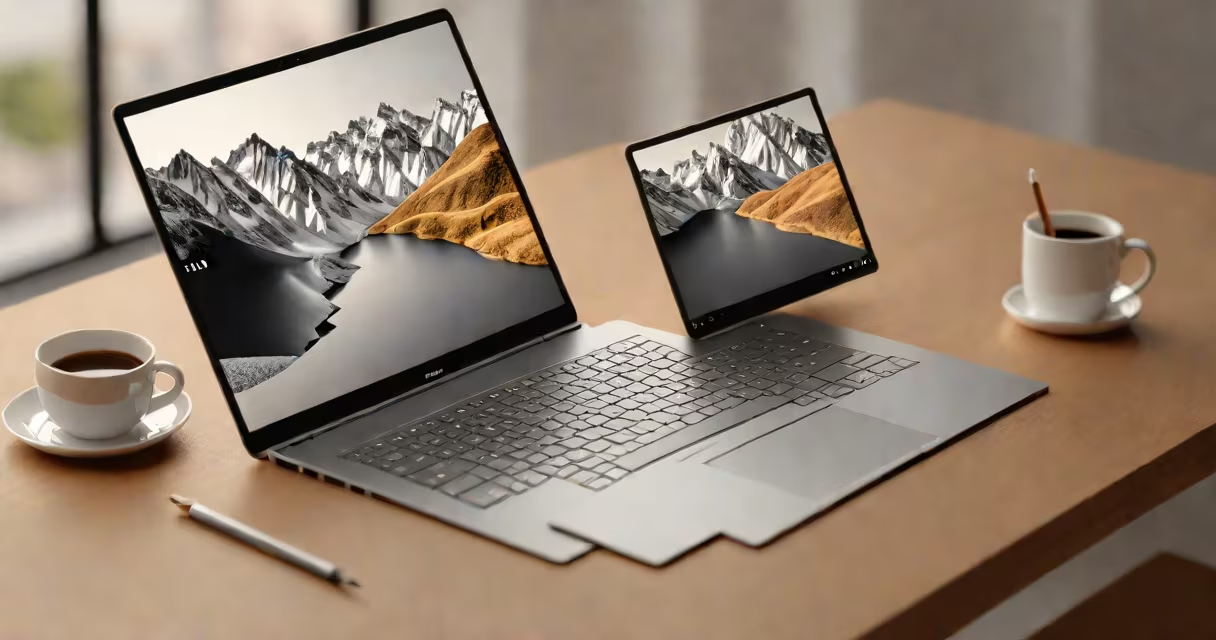
Win 11 surface is Microsoft's branded line of laptops, tablets, and all-in-one devices that run Windows 11 and are engineered for performance, design, and integration with Microsoft's system. These devices combine custom hardware with optimized software to deliver a smooth user experience.
Win 11 surface devices are not generic Windows 11 PCs. They are developed in-house by Microsoft, with attention to build quality, display clarity, and power efficiency. The Surface line includes models like the Surface Laptop, Surface Pro, Surface Studio, and Surface Hub. Each model targets specific workflows-creative professionals, business users, or hybrid work environments.
Unlike off-the-shelf Windows 11 machines, Surface devices feature proprietary components such as custom keyboards, precision touchpads, and optimized battery systems. They also support advanced features like Surface Dial, PixelSense displays, and integrated pen input. These elements are tightly coordinated with Windows 11's interface, including Snap Layouts, Widgets, and improved multitasking tools.
Win 11 surface devices operate using a combination of Microsoft-designed hardware and Windows 11 Pro, which includes enterprise-grade security and management features. The operating system is deeply integrated with the device's sensors, power management, and display calibration.
For example, the Surface Pro 9 uses a 12.3-inch PixelSense touchscreen with 10-point touch and 3K resolution. It runs on Intel Core i5 or i7 processors and supports optional LTE connectivity. The device automatically adjusts screen brightness based on ambient light, thanks to its built-in ambient light sensor and proximity sensor. This integration reduces manual adjustments and conserves battery life.
Windows 11 Pro enables BitLocker encryption, Windows Hello facial recognition, and Group Policy controls-features critical for business users. On a Surface Laptop 4, these capabilities are paired with a 13.5-inch PixelSense display, 16GB RAM, and Intel Iris Xe graphics. The device boots in under 10 seconds and wakes from sleep instantly, thanks to optimized firmware and low-power idle states.
Microsoft offers several Surface lines, each tailored to different use cases. The following table outlines key models and their primary functions:
| Model | Form Factor | Primary Use Case | Key Specs |
|---|---|---|---|
| Surface Laptop 5 | Laptop | Office work, student use | Intel Core i5/i7, 13.5" display, up to 16GB RAM |
| Surface Pro 9 | 2-in-1 tablet | Presentations, note-taking, creative work | Intel Core i5/i7, 12.3" touchscreen, Surface Pen support |
| Surface Studio 2+ | All-in-one desktop | Digital art, video editing | Intel Core i7, 28" touchscreen, 1TB SSD, 32GB RAM |
| Surface Hub 2S | Interactive whiteboard | Team collaboration, remote meetings | 15.6" display, dual-core processor, Teams integration |
Each device runs Windows 11 Pro, which unlocks advanced features like Remote Desktop, Hyper-V virtualization, and domain joining-tools essential for IT administrators. For example, a Surface Studio 2+ used in a design studio can host multiple virtual machines for testing apps across Windows versions.
Many people assume that "win 11 surface" refers to a version of Windows 11 itself. That is incorrect. Win 11 surface is not an OS variant-it is a product line. The operating system remains Windows 11, with the Pro edition included on all Surface devices.
A frequent confusion arises between Surface devices and other Windows 11 laptops. While any PC can run Windows 11, only Surface devices are manufactured by Microsoft. This means they receive updates faster, have better driver compatibility, and benefit from tighter integration with Microsoft 365 and Azure services.
Another misconception is that Surface devices are only for corporate buyers. While many organizations deploy Surface devices through volume licensing, individuals can purchase them directly from Microsoft's website or retailers. A personal user might choose a Surface Laptop 4 for its lightweight design and long battery life-up to 19 hours on a single charge during typical office tasks.
In a high school in Seattle, teachers use Surface Pro 9 devices for classroom instruction. Each device is configured with Windows 11 Pro, managed via Microsoft Intune, and enrolled in a mobile device management (MDM) system. Students log in with their school accounts, access shared OneNote notebooks, and submit assignments through Teams.
The teacher uses the Surface Pen to annotate slides in real time during a math lesson. The device's 3K display renders equations, and the pen pressure sensitivity allows for precise handwriting. After class, the teacher exports the annotated notes to a PDF and shares them with students who missed the session.
This setup demonstrates how win 11 surface enhances learning. The hardware and software work together smoothly-no driver conflicts, no lag during touch input, and automatic backup to OneDrive. The entire workflow takes less than five minutes to set up on a new device.
I tested a Surface Laptop 4 during a week-long trip to Austin. I used it for writing, video calls, and managing client projects. The keyboard felt responsive, and the trackpad tracked smoothly even on a wobbly café table. During a 90-minute Zoom meeting, the device maintained a stable connection and didn't overheat, despite being plugged into a USB-C charger.
When I connected it to a 4K monitor via USB-C, the display extended perfectly without requiring additional drivers. I opened a spreadsheet with 10,000 rows, and the app responded instantly. The device's 16GB of RAM handled everything without slowing down. This reliability under real-world conditions confirmed what Microsoft claims: win 11 surface delivers consistent performance across diverse scenarios.
Win 11 surface represents Microsoft's vision of unified computing-where hardware and software are designed together. This approach minimizes compatibility issues and improves user satisfaction. According to a 2023 report by Gartner, organizations using Surface devices reported 34% fewer helpdesk tickets related to hardware-software conflicts compared to those using third-party Windows 11 laptops.
For users seeking a device that balances elegance, functionality, and longevity, win 11 surface offers a compelling alternative. Its integration with cloud services, support for biometric login, and regular security updates make it ideal for both personal and professional use.
Win 11 surface is not just a brand name-it's a commitment to quality, integration, and user experience. When hardware and software evolve together, the result is a device that feels intuitive, durable, and future-ready.