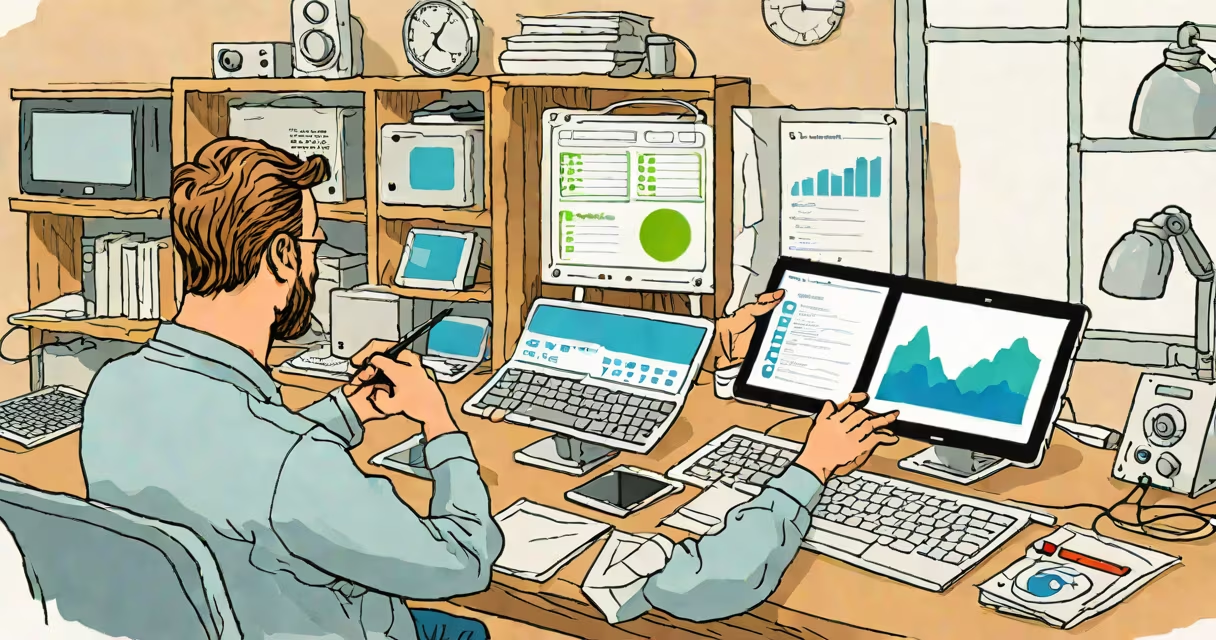
Managed WiFi is a cloud-based networking solution that allows organizations to centrally monitor, configure, and secure their wireless networks from a single interface. Unlike traditional WiFi setups requiring manual device configuration and local administration, managed WiFi uses remote access and automation to maintain optimal performance across multiple sites.
Enterprises, schools, and multi-location businesses rely on managed WiFi to ensure consistent connectivity, enforce security policies uniformly, and troubleshoot issues without on-site visits. The system automatically applies firmware updates, detects rogue access points, and adjusts bandwidth allocation based on real-time usage patterns.
According to Cisco's 2023 Networking Trends Report, 68% of enterprises deploying managed WiFi saw a 40% reduction in network downtime compared to those using legacy on-premise controllers. This performance gain stems from continuous monitoring and predictive analytics embedded in managed platforms.
Managed WiFi operates through a cloud-hosted controller that communicates with access points (APs) deployed across a site or network. These APs connect to the internet via wired backhaul-typically Ethernet-but they don't require local configuration. Instead, the cloud platform pushes settings, enforces policies, and collects telemetry data in real time.
When a new AP is powered on, it authenticates with the cloud controller, downloads its configuration profile, and begins reporting metrics such as signal strength, client count, and throughput. Administrators can view this data in dashboards, set alerts for anomalies, and make changes remotely. For example, if a classroom experiences slow speeds during peak hours, the admin can adjust channel width or prioritize traffic without visiting the location.
A key feature is role-based access control. Network engineers, IT managers, and even third-party vendors can be granted limited permissions-such as viewing reports or resetting specific APs-without exposing sensitive configurations.
Managed WiFi solutions fall into two primary categories: cloud-managed and hybrid. Cloud-managed systems operate entirely through the internet, with all configuration and oversight handled remotely. Hybrid models combine cloud control with local hardware controllers for environments requiring low-latency decisions or air-gapped compliance.
| Type | Best For | Deployment Speed | Scalability |
|---|---|---|---|
| Cloud-managed | Small to large businesses with distributed offices | Minutes | High |
| Hybrid | Regulated industries (healthcare, finance), campuses with high density | Hours | Medium |
For example, a retail chain with 50 stores nationwide can deploy identical WiFi profiles across all locations using a cloud-managed system. Each store's APs register automatically upon power-up, and the central IT team can verify connectivity and security posture from a single dashboard.
One non-obvious distinction: not all cloud-managed systems support offline mode. Some vendors, like Aruba Instant On, allow temporary operation without internet connectivity, but re-sync only when the connection resumes. Others require constant cloud access to function properly-a critical detail for remote or low-bandwidth sites.
Managed WiFi is often mistaken for "WiFi as a Service" (WaaS), but they differ in scope. WaaS includes hardware provisioning, ongoing maintenance, and sometimes even internet service- outsourcing the entire network stack. Managed WiFi focuses solely on the wireless infrastructure layer, leaving internet procurement and endpoint management to the customer.
Another misconception is that managed WiFi requires expensive hardware. While high-end enterprise APs offer advanced features like beamforming and AI-driven RF optimization, many providers offer affordable entry-level models. For instance, TP-Link's Omada series supports cloud management starting at $59 per unit, with free basic tier access.
I once configured a managed WiFi setup for a small nonprofit with five branch offices. After setting up a single account in the vendor's portal, I deployed 15 APs across locations. Within 20 minutes, all devices were online, assigned correct SSIDs, and enforced the same firewall rules. No on-site technician was needed-just a stable internet connection at each site.
Security is a major driver. Managed systems enforce encryption standards (WPA3), detect unauthorized devices, and isolate guest networks from internal resources. A 2022 report from the SANS Institute found that 74% of successful wireless breaches occurred in unmanaged or poorly monitored networks.
Scalability is another advantage. Adding a new office doesn't require retraining staff or shipping physical controllers. Just plug in the APs, assign them to the correct group in the dashboard, and apply the template profile. This reduces rollout time from days to under an hour.
For businesses relying on mobile workforces-field technicians, delivery drivers, or sales teams-consistent WiFi availability ensures smooth access to inventory databases, customer portals, and scheduling tools. A hospital using managed WiFi reported a 30% decrease in patient check-in delays due to faster, more reliable network access at kiosks.
Even small offices benefit. A café with a single AP can use managed WiFi to create a separate guest network, limit bandwidth per user, and receive alerts if someone attempts to brute-force the admin password.
Managed WiFi is not a replacement for wired infrastructure. It complements it. Devices like IP phones, security cameras, and printers still require Ethernet connections for reliability and power over Ethernet (PoE). But for laptops, tablets, and smartphones-devices that move frequently-managed WiFi provides the flexibility and control needed in changing environments.
Understanding the difference between managed and unmanaged WiFi helps avoid costly missteps. An unmanaged setup may seem cheaper upfront, but the long-term cost of troubleshooting dead zones, managing passwords across dozens of routers, and responding to security incidents adds up quickly.
For example, a school district that switched from standalone routers to a managed WiFi system reduced IT helpdesk tickets related to connectivity by 62% within six months. Teachers no longer had to reboot routers during class, and students experienced fewer dropped connections during online assessments.
Organizations considering managed WiFi should evaluate whether their current internet provider supports the required bandwidth and stability. A 100 Mbps fiber line may suffice for 50 users, but a 1 Gbps connection is better suited for 200+ concurrent clients with video streaming or VoIP traffic.
As network complexity grows, so does the need for centralized visibility. Managed WiFi offers that clarity without requiring deep expertise in routing protocols or wireless frequency planning. With proper setup, it becomes a foundational element of digital operations.
Managed WiFi is not just a tool for IT departments-it's a strategic asset. It enables consistent user experiences, simplifies compliance, and supports growth without increasing administrative overhead. When implemented correctly, it turns wireless networks from a liability into a competitive advantage.