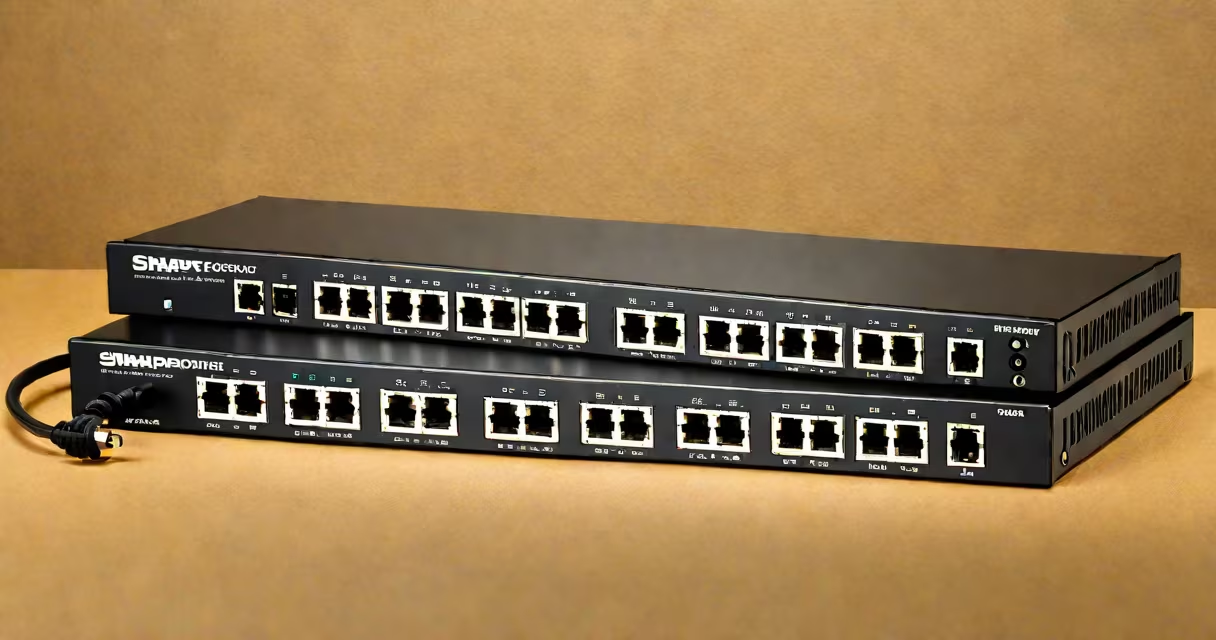
A 12 port unmanaged ethernet switch connects up to 12 network devices-such as computers, printers, IP cameras, and VoIP phones-into a single local area network (LAN) without requiring setup, configuration, or management tools. It operates automatically using standard Ethernet protocols and powers on immediately upon connection.
These switches function at Layer 2 of the OSI model, meaning they forward data packets based on MAC addresses learned dynamically from connected devices. They do not support VLANs, Quality of Service (QoS), port mirroring, or remote monitoring. Because they lack configuration interfaces, they are ideal for small networks where simplicity and reliability take priority over advanced control.
Manufacturers such as TP-Link, Netgear, and D-Link produce models with 12 RJ45 ports supporting speeds up to 10/100 Mbps or 1 Gbps. The most common form factor is a compact desktop unit with a built-in power adapter. Some models include LED indicators for link status, speed, and activity on each port.
The switch uses a learning algorithm to build a forwarding table. When Device A sends data to Device B, the switch records Device A's MAC address and port association. It then checks the destination MAC address in its internal table. If the entry exists, it forwards the packet only to the correct port. If not, it floods the packet to all other ports until the destination responds.
This process happens in nanoseconds. There is no user input required. Once plugged into a power outlet and connected via Ethernet cables, the switch begins routing traffic within milliseconds. No IP address assignment, no login screen, no command-line interface.
For example, connecting a laptop, two desktops, a printer, a security camera, a smart TV, and four IoT devices to a 12 port unmanaged switch allows them all to communicate on the same network segment. Data flows between them without delay, assuming the upstream router or modem handles DHCP and firewall functions.
Unmanaged switches fall into two primary categories based on speed:
| Speed Class | Port Speed | Use Case | Example Model |
|---|---|---|---|
| Fast Ethernet | 10/100 Mbps | Basic office setups, home networks with older devices | TP-Link TL-SF1012D |
| Gigabit Ethernet | 10/100/1000 Mbps | High-bandwidth applications: video streaming, file servers, surveillance systems | Netgear GS108T |
Some models offer PoE (Power over Ethernet) capability, allowing them to deliver electrical power through the same cable used for data. This enables devices like IP cameras and wireless access points to operate without separate power supplies. However, PoE-capable 12 port unmanaged switches are less common than their non-PoE counterparts and typically cost 20-30% more.
Always verify the switch supports the required speed for your devices. Connecting a 1 Gbps device to a 100 Mbps switch forces it to run at the slower rate, creating a bottleneck. The switch auto-negotiates speed and duplex settings, but performance is capped by the slowest device on the network.
Small businesses use 12 port unmanaged switches to connect workstations, shared printers, and surveillance systems. A retail store might deploy one to link cash registers, barcode scanners, and a central server. Home users install them to extend connectivity beyond a router's limited number of ports.
Security installations often rely on these switches. A 12 port unit can handle eight IP cameras, two door sensors, and a NVR (network video recorder), all on a single network segment. Since the switch requires no configuration, it reduces deployment time and eliminates errors from misconfigured settings.
One limitation: these switches cannot isolate traffic between segments. All devices share the same broadcast domain. If a loop forms-say, two switches are connected by two cables-the network may experience a broadcast storm. Most unmanaged switches include Spanning Tree Protocol (STP) to prevent this, but STP is not always enabled by default. Always check the product manual.
Many assume a 12 port unmanaged switch improves internet speed. It does not. Internet bandwidth is determined by the ISP, router, and service plan-not the switch. The switch only manages local traffic between devices on the same LAN.
Another error: thinking unmanaged switches are insecure. While they lack features like ACLs or port lockdown, they still enforce basic frame filtering based on MAC addresses. They do not route traffic between subnets or expose services to external networks unless configured improperly. Their security risk is low compared to managed switches with exposed web interfaces.
Finally, confusion arises between unmanaged and managed switches. Managed switches allow administrators to monitor traffic, set priorities, create virtual networks, and troubleshoot issues remotely. Unmanaged switches lack these capabilities entirely. Choosing between them depends on whether you need control or simplicity.
I installed a TP-Link TL-SF1012D (12-port 100 Mbps unmanaged switch) in my home office. My router had only four Ethernet ports. I needed to connect a desktop, a NAS drive, a scanner, a VoIP phone, two laptops, and a media player. The switch handled all 12 devices smoothly.
After plugging in the power adapter and connecting cables, the green LEDs lit up on each port. Within seconds, all devices obtained IP addresses via DHCP. File transfers between the desktop and NAS ran at 85 Mbps-close to the theoretical maximum for 100 Mbps Ethernet. No configuration was needed. The switch remained silent during operation, consuming under 6 watts of power.
When I later added a second switch to connect a security camera system, I accidentally created a loop. The network slowed dramatically. I disconnected one cable between the switches, and normal operation resumed. The switch did not crash-it simply stopped forwarding frames until the loop was broken.
Unlike managed switches, which require software tools and administrator access, unmanaged switches are designed for immediate use. They are not intended for enterprise environments with complex network policies. For larger deployments, a managed switch offers better scalability and troubleshooting.
Compared to a 5 port unmanaged ethernet switch, a 12 port model provides greater port density. A 5-port switch limits expansion to five devices, making it suitable for personal workspaces or small offices. A 12 port switch offers room for growth. Similarly, a 4 port switch is too restrictive for most multi-device setups.
For users who need flexibility and future-proofing, a Gigabit-capable 12 port unmanaged switch is a practical choice. It supports higher throughput than Fast Ethernet models and ensures compatibility with newer devices. Avoid models labeled "auto-sensing" without specifying speed-some claim 10/100/1000 but only deliver 100 Mbps on all ports.
When selecting a 12 port unmanaged ethernet switch, prioritize gigabit speed, reliable build quality, and adequate ventilation. Look for models with heat sinks or fanless designs to avoid noise and overheating. Check reviews for reports of early failures or intermittent disconnections.
These switches are not meant to replace routers or firewalls. They extend the reach of existing networks. They are not suitable for environments requiring VLAN segmentation, traffic shaping, or centralized monitoring.
For straightforward, reliable network extension, a 12 port unmanaged ethernet switch delivers consistent performance with minimal overhead. It's a tool for connecting devices, not managing them.
Compare port counts and use cases.